Yesterday (19/08/2023) everything worked fine. Today (20/08/2023) I can no longer login to Twitch using Firefox. I restarted browser and cleared cache. No change.
EDIT: I tried again after 30min and it works again. I have some privacy-oriented plugins but I don’t play with custom useragent.

You must log in or register to comment.
It begins…
It’s the deep breath before the plunge.
Hm weird chromium announces update to stop allowing ad blockers and suddenly no one allows FF to work in their website.
They need that greed
Just chiming in as a software engineer. My product DOES support Firefox, but there are some weird animation quirks that my team has been trying to solve, but with limited bandwidth and a full product backlog, it’s hard to justify spending too much time supporting a browser with such small global utilization. Especially since we’re using third party libraries like angular material, quirks on smaller browsers can be a nightmare to chase down
Oh I fully understand a smaller company having a website that says “some animations may not work with your browser” when it’s obviously easier to just do chromium as that covers almost every browser, but fully disabling the entire website when it works just fine as long as you tell Firefox to say it’s chrome is a different story.
Someone else had the same problem. Check this thread for suggested solutions. https://lemmy.ml/post/3612554
deleted by creator
Im on Developer edition and dont appear to be having an issue.
Must be something local to you or twitch CDN. I just tried on the same version of FF from West Europe and it worked.
Have you by chance changed your useragent?
Any pop-up or JavaScript blockers?
Weird, I’m watching Twitch right now with Firefox.
Me, too. I haven’t re-authed in a while, though. Do you get the error if you log out and log back in?
I use LibreWolf, which is FF based, and they refuse to let me log in. All it takes is a User Agent spoofer set to Chrome, and it works.
This is the way. User agent spoofer comes handy whenever you browse with FF
#You can edit titles on Lemmy
Mildly Life changing
Now there’s a community I’d follow!
Make it!
I have had this exact issue for so long now. What always works for me is a simple reload.
Also unrelated, but still want to say it: Fuck every single browser based on chromium!
deleted by creator
General rule of thumb: If you suddenly encounter issues with your webbrowser, always check with another, clean profile. Preferably without any extensions.
Especially site-specific ones.
Glad you got it working again.
Step 1: Disable Twitch adblocker.
Step 2: Log in to Twitch.
Step 3: Re-enable Twitch adblocker.
That’s what worked for me.
Check your enhanced Tracking protection settings and see if its at strict. Another user had the same problem here: https://lemmy.ml/post/3612554
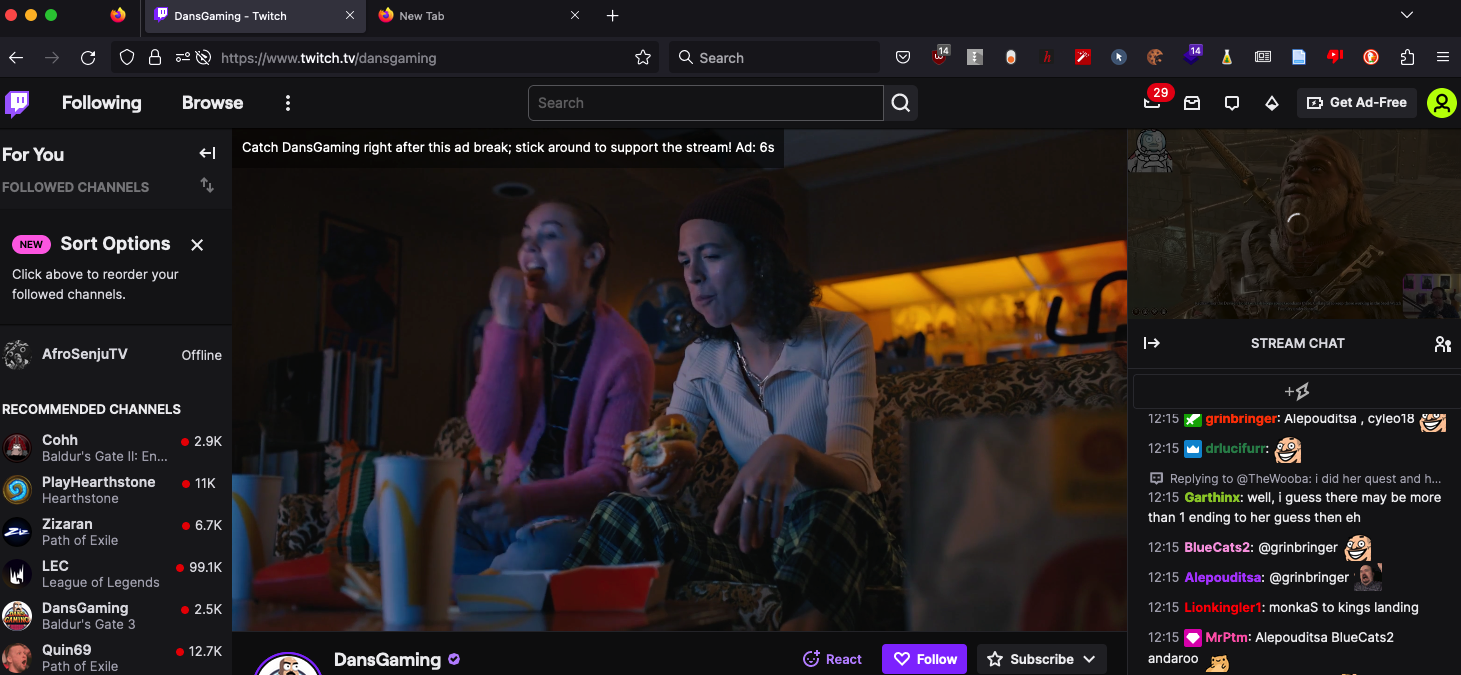
It works perfectly on my end:
https://help.twitch.tv/s/article/supported-browsers?language=en_US#firefox
Twitch’s official stance is to support the latest two versions of Firefox. Are you modifying your browser agent string at all? Or using any plugins that are privacy/ad-blocking related?
Or using any plugins that are privacy/ad-blocking related?
I mean… Of course.
I mean, that’s probably the “problem.” At least directly. The real problem is Twitch obviously, but it’s not that Firefox isn’t supported.
Edit: so I guess it’s not so much that it’s not infuriating, but I would give up Twitch before Firefox.
Yep, pretty much my exact thoughts.